Lock In - Work focus
Stop daydreaming at your workstation
A native Mac app that blocks distracting apps during work sessions and catches you when you drift off.
Set a focus timer and your sessions goals then start. Drift off or open something you shouldn’t and your getting called out.
How much would you have gotten done this year without the distractions?
How much would you actually get done if every time you sat down to work or study you actually locked in for the whole time? It's not that you don't know how to focus. But our devices have access to all of the fun and distracting stuff as well as the stuff that makes us productive. Then there’s tendency to just sit there daydreaming which I am very guilty of.
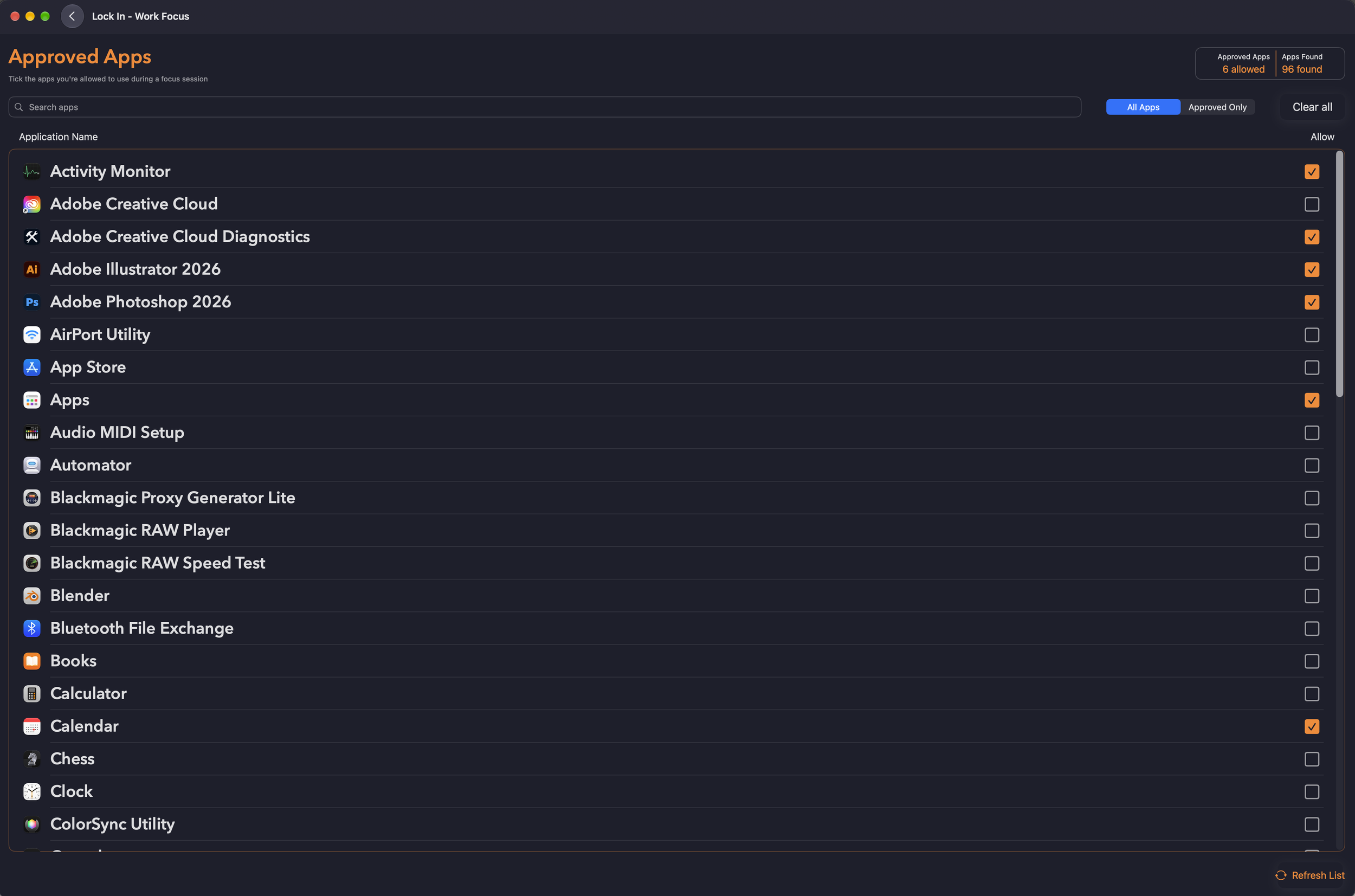
Lock In keeps you accountable during those times you intend to get stuff done. Pick your approved apps, start a session, and everything else gets locked out, if you go on to another app or drift off your gonna get called out.
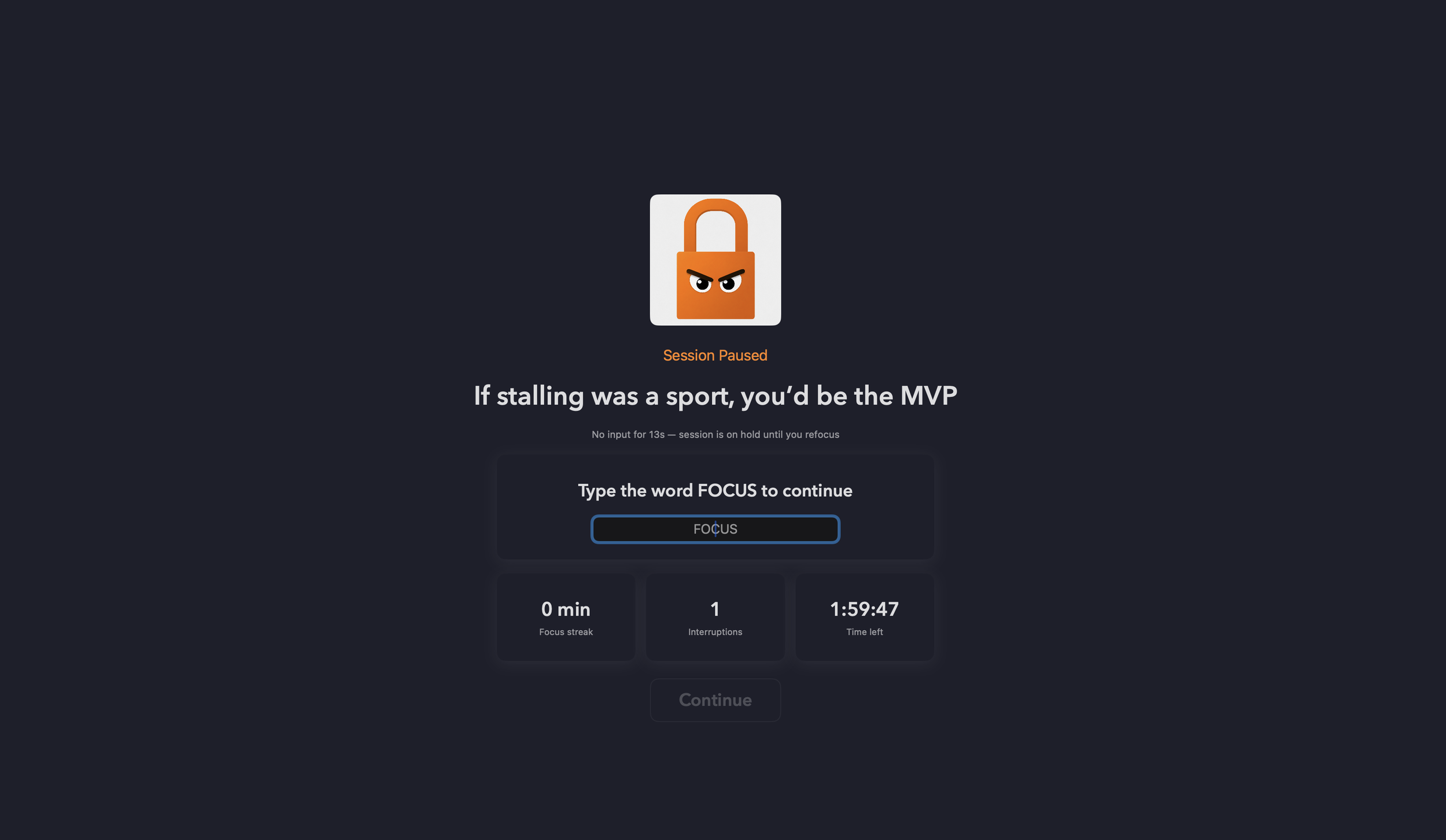
Idle Detection
Wander off into dreamland mid-session and Lock In will alert you that you need to refocus yourself back to what you intended to get done
The "Type Focus" Lock Screen
No lazy one-click escapes; quitting requires typing a word, so snap out of those random thoughts and finish what you started.
App Blocker That Means It
Pick your approved work apps; everything else is banished for the session
Focus timer, not a suggestion
Set your work or study session, with breaks if you're feeling generous with yourself
What Sets Us Apart
App-level blocking, not just websites
If the distraction lives in an app, not a browser tab, Lock In still catches it
A real barrier to quitting
the typed-confirmation screen means bailing on a session takes a genuine, deliberate action, not a reflex click
Most focus apps either block websites only, or make it too easy to just click "stop" the moment you feel the pull to check something. Lock In is built differently on both counts.
Is there a free distraction blocker for Mac?
Yes. Lock In is free to try for your first 5 sessions, so you can get a real feel for it before committing. After that, a Pro upgrade unlocks unlimited sessions and the full feature set.
Does Lock In block websites too, or just apps?
Lock In focuses on app-level blocking rather than website blocking. If your biggest distractions are apps like Slack, Messages, or games, Lock In blocks those directly at the system level.
How do I block apps on Mac while working?
Lock In lets you choose exactly which apps stay accessible during a focus session. Everything else is locked out until the session ends or you type the confirmation phrase to quit early.
What makes Lock In different from other focus apps?
The typed-confirmation lock screen. Quitting a session isn't a single click, it requires typing a phrase, which turns "I'll just check one thing" into a real decision instead of a reflex.
Pricing
Free - Try your first 5 sessions, no payment needed
$2.99/mo or $29.99/yr - unlimited sessions, full feature set
$49.99 lifetime - pay once, done forever